1 · Save
See a shot you love?
Save it.
From your library, a link, or the share sheet. It lands in your album.

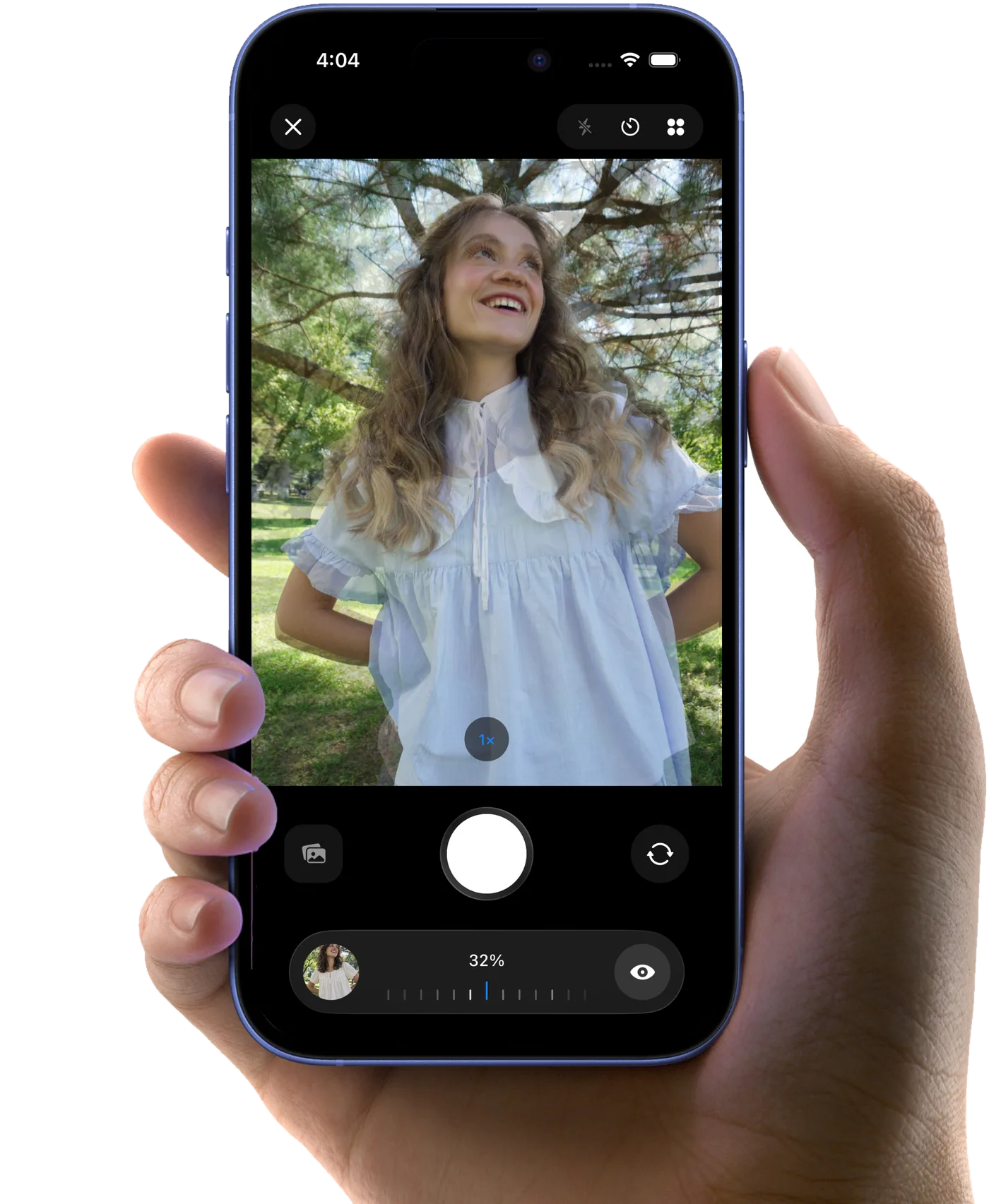
The camera with your reference right over the viewfinder.
1 · Save
From your library, a link, or the share sheet. It lands in your album.
2 · Overlay
Open the reference and it sits right on the viewfinder. Set the transparency with one swipe.
3 · Line up
Move until the silhouettes meet. The grid helps you keep the framing.
4 · Shoot
Put your shot next to the reference and keep the version you love.
Share a post from your favourite apps straight to Posita, paste a link, or pick a photo from your library.
Send a photo post to Posita from the share sheet.
Copy a supported post’s link and add it to your album.
Already saved it? Bring it in from Photos.
Built-in collections, ready when you are.
1 · Shoot
Keep shooting while you move — every frame goes into one series.
2 · Review
Flick through the series and mark the shots you want to keep.
3 · Keep
Save the frames you love. Keep the whole moment together.
Set your iPhone down and use Apple Watch as the viewfinder and the shutter.
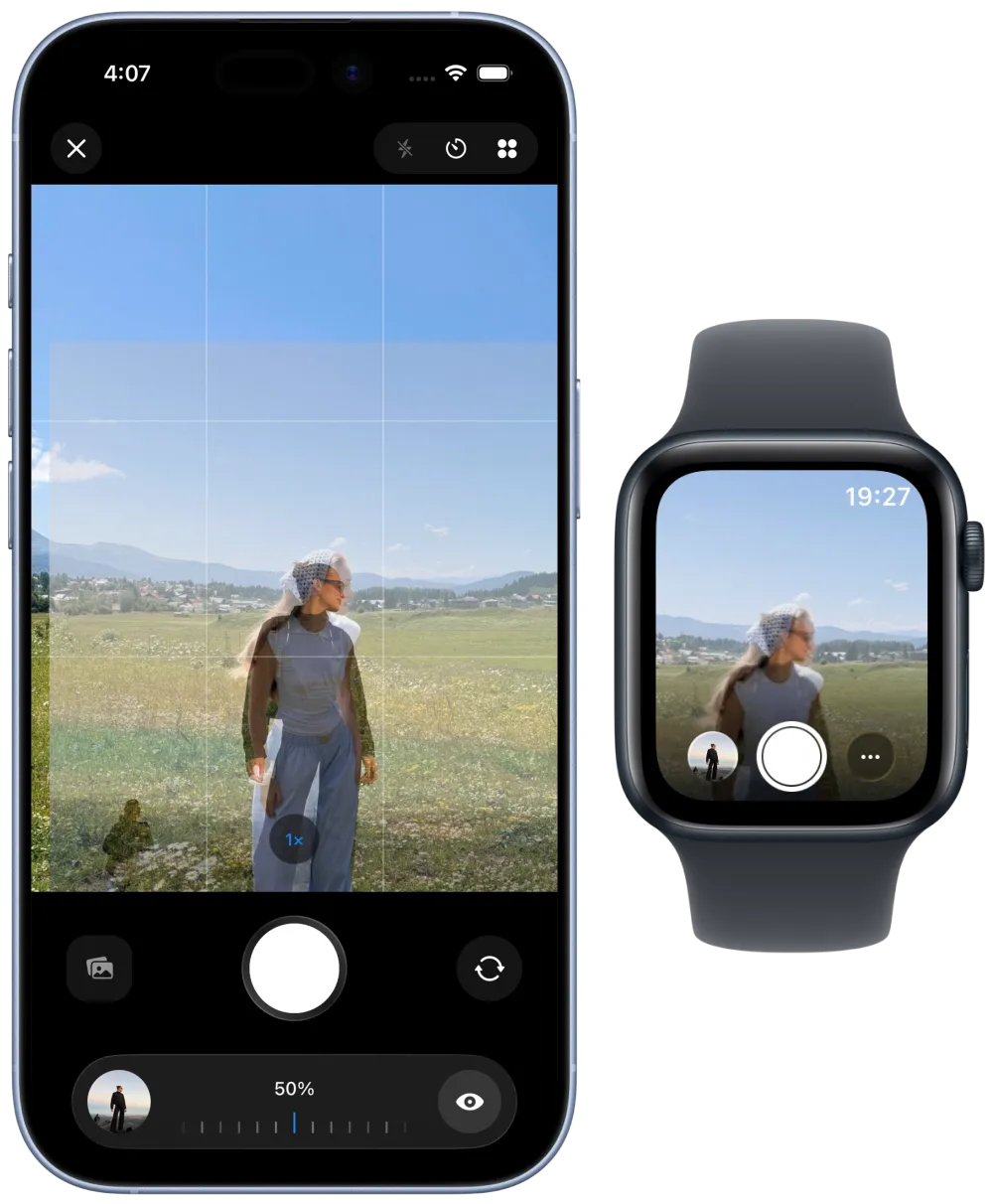
viewfinder on Apple Watch
to take the shot
running back to the phone
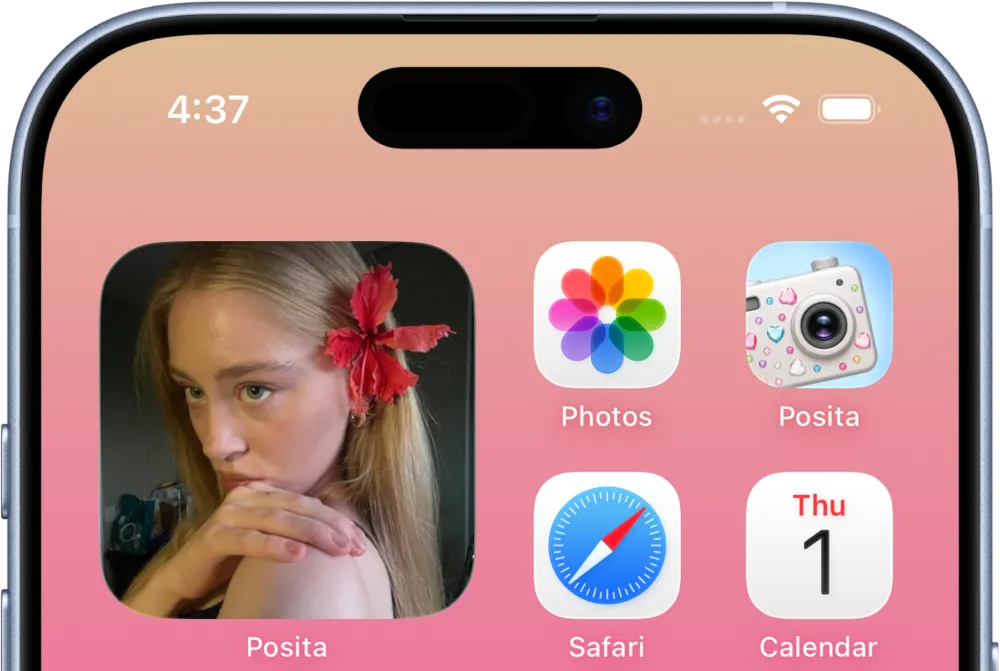
Add the Posita widget and keep the photos you’re proud of in view.
No. Open Posita and start saving references. Your personal library stays on your device.
Personal references, albums and recreations stay on your device. They are not uploaded to our servers.
Yes. Add photos from your library, paste a supported link, or use the share sheet.
You can make three recreations a day for free. Posita Pro unlocks unlimited recreations.
Your recreations — the photos you made, right on your Home Screen.